
If you’ve ever found yourself staring at dozens of open tabs, juggling endless tasks, or feeling overwhelmed by the constant demands of work and life online, you’re not alone. In today’s digital world, staying productive can feel like a full-time job on its own. The good news? There’s a smarter way to navigate your digital workflow. Chrome extensions—tiny tools that enhance your browser—can make a huge difference in how you manage your time, stay focused, and get more done in less time.
In this guide, you’ll discover 10 must-have Chrome extensions for productivity in 2025. Each tool has been handpicked to help you organize tasks, minimize distractions, streamline communication, and ultimately reclaim your time.
Why Chrome Extensions Are Essential for Productivity
Before diving into specific tools, it’s important to understand why Chrome extensions can transform your productivity.
The Power of Browser Tools
Your browser is the gateway to your work, research, and personal projects. By adding the right extensions, you can:
- Automate repetitive tasks like saving articles, filling out forms, or tracking emails.
- Organize your workflow in a way that reduces mental clutter.
- Access tools that seamlessly integrate with your favorite apps and services.
In fact, a 2024 productivity survey found that professionals who regularly use productivity-enhancing extensions reported a 25% increase in task completion efficiency. That’s not just convenience—it’s measurable improvement in how you manage your time.
How to Choose the Right Extensions
With thousands of Chrome extensions available, it can feel overwhelming to pick the right ones. Here’s what to consider:
- Compatibility: Ensure the extension works with the tools and apps you already use.
- Ease of Use: Look for simple, intuitive interfaces—your goal is to save time, not learn a new system.
- Privacy & Security: Check permissions and read reviews to avoid potential risks.
Once you’ve got the basics covered, it’s time to explore the extensions that will make the biggest impact on your productivity.
Top 10 Must-Have Chrome Extensions for Productivity in 2025
Here’s a detailed breakdown of the most useful Chrome extensions for getting things done efficiently. Each extension is chosen for its ability to simplify tasks, enhance focus, or streamline workflow.
1. Todoist – Task Management Made Simple
Todoist is your ultimate digital to-do list. With Todoist, you can:
- Create and manage tasks, projects, and subtasks.
- Set priorities, deadlines, and reminders.
- Collaborate with team members on shared projects.
to download it click here
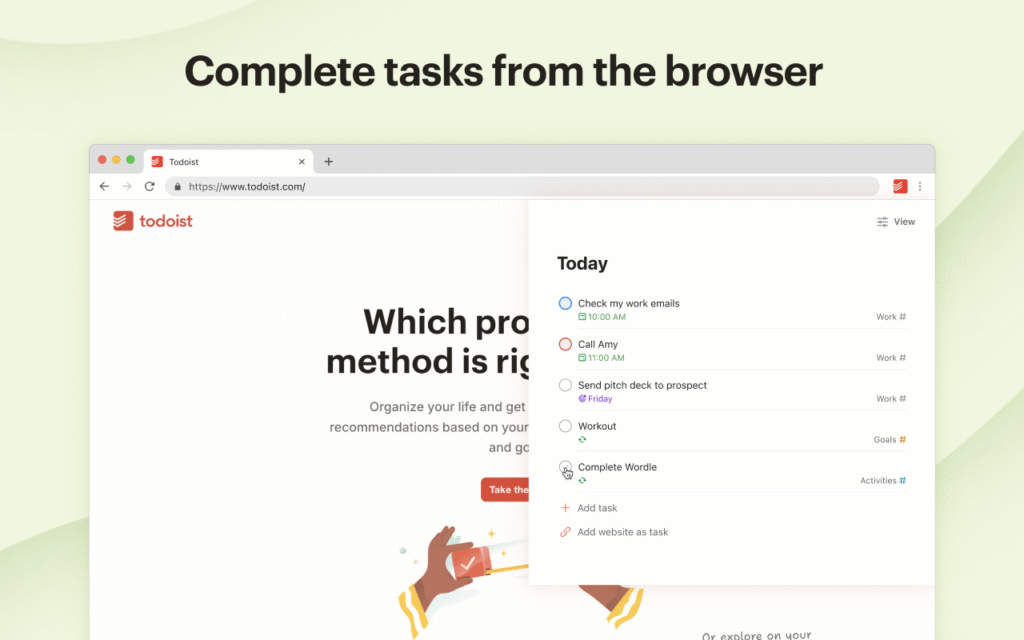
Why it works: Todoist helps you visualize your workload and prevents tasks from slipping through the cracks. With cross-device syncing, your tasks are always accessible, whether you’re on your laptop, phone, or tablet.
2. Grammarly – Perfect Your Writing

Writing is a huge part of productivity, whether it’s emails, reports, or social media content. Grammarly ensures your writing is polished and professional by:
- Checking grammar, punctuation, and style in real time.
- Offering tone suggestions for clear, confident communication.
- Reducing errors by up to 80%, according to Grammarly’s internal studies.
By cutting down on editing time, Grammarly frees you to focus on your ideas rather than your errors.
to download it click here
3. StayFocusd – Minimize Distractions
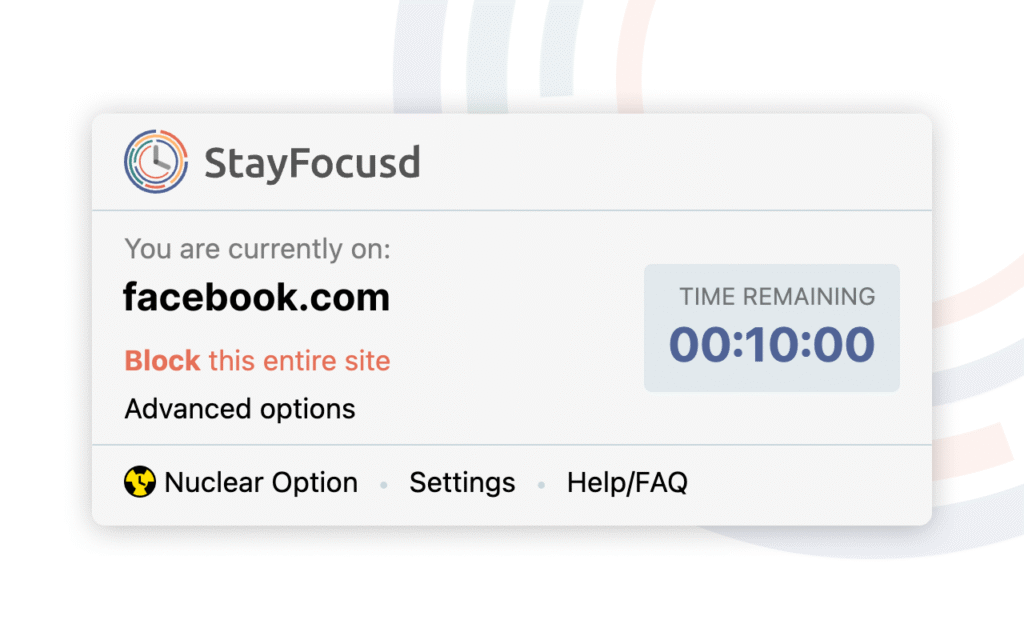
If you often find yourself distracted by social media or other time-wasting sites, StayFocusd is a game-changer. This extension:
- Blocks access to distracting websites during work hours.
- Lets you set daily time limits for specific sites.
- Encourages deep focus by reducing digital interruptions.
download it from here
You’ll be amazed at how much more you can accomplish when your browser stops pulling you off track.
4. LastPass – Secure Password Management
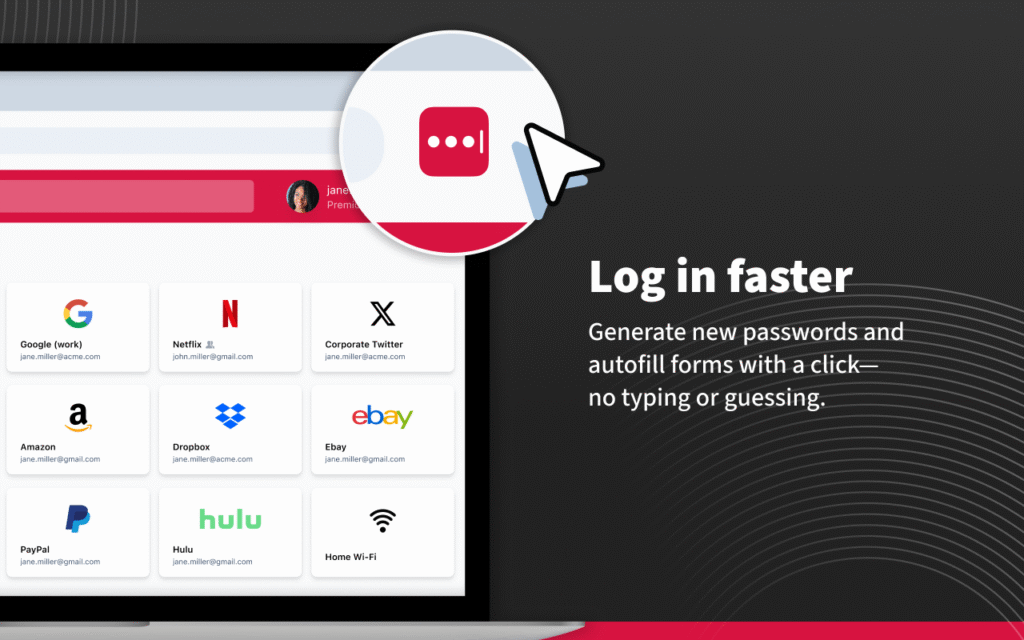

Passwords can be a productivity killer. LastPass simplifies this by:
- Storing passwords securely in a vault.
- Auto-filling login credentials across websites.
- Generating strong, unique passwords for enhanced security.
With LastPass, you no longer waste time remembering or resetting passwords, and you reduce the risk of security breaches.
Download it from here
5. Loom – Quick Video Communication
Sometimes a quick video is more effective than a long email. Loom lets you:
- Record your screen, webcam, or both.
- Share instructions or updates instantly.
- Reduce email back-and-forth, saving time and frustration.
Whether you’re collaborating with a team or explaining a complex concept, Loom streamlines communication and keeps everyone on the same page.
download it here
6. Pocket – Save and Organize Articles

Ever find an interesting article but don’t have time to read it? Pocket allows you to:
- Save articles, videos, and web pages for later.
- Organize saved content with tags.
- Access content offline, anytime.
By keeping your reading list organized, Pocket ensures you can return to important information without losing focus on current tasks.
download here
7. Tab Wrangler – Automatic Tab Management
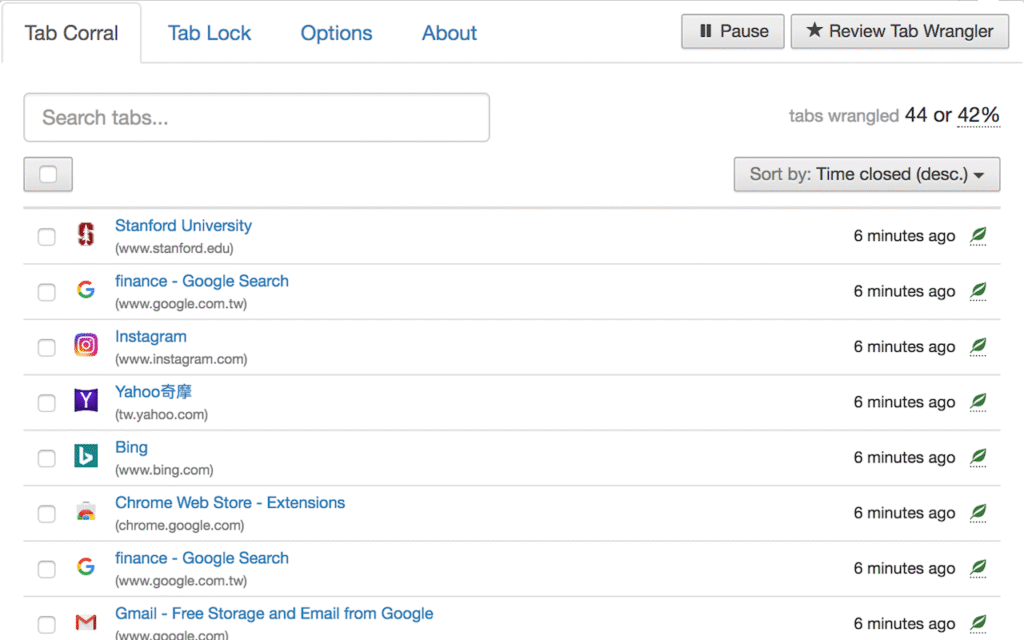
Open tabs can quickly spiral out of control, slowing your browser and your brain. Tab Wrangler:
- Automatically closes inactive tabs after a set period.
- Keeps a list of recently closed tabs for easy retrieval.
- Reduces memory usage and clutter, keeping your workspace cleaner.
Less chaos in your browser means less stress in your workflow.
download here
8. Evernote Web Clipper – Capture Web Content

Evernote Web Clipper is a productivity powerhouse for research and note-taking. With it, you can:
- Clip full articles, PDFs, or images directly from the web.
- Organize content into notebooks for easy reference.
- Integrate with your Evernote account for seamless workflow management.
This extension makes collecting, storing, and retrieving online content effortless, which is ideal for students, researchers, and professionals alike.
download here
9. Notion Web Clipper – Organize Your Projects
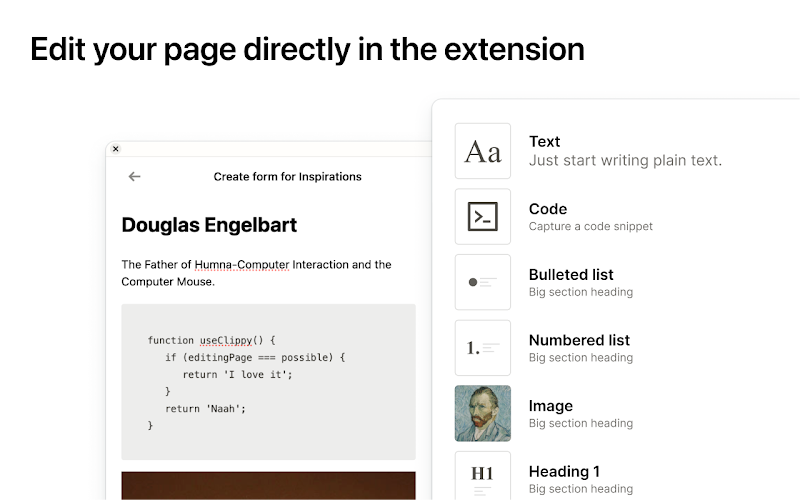
Notion Web Clipper complements your productivity toolkit by:
- Saving web pages, articles, or research into your Notion workspace.
- Organizing content into projects, notes, or databases.
- Keeping your ideas and references in one centralized location.
For project planning, research, or personal organization, Notion ensures nothing slips through the cracks.
How to Install and Set Up Chrome Extensions
Getting started is simple. Follow these steps:
- Visit the Chrome Web Store.
- Search for your desired extension.
- Click “Add to Chrome” and accept permissions.
- Adjust settings to match your workflow preferences.
Here’s a quick reference table for installation and key settings:
| Extension | Installation Steps | Key Settings to Adjust |
|---|---|---|
| Todoist | 3 steps | Notifications, projects |
| Grammarly | 3 steps | Language, tone |
| StayFocusd | 3 steps | Allowed/blocked sites |
| LastPass | 3 steps | Vault security, autofill |
| Loom | 3 steps | Recording settings |
Tips for Maximizing Productivity with Chrome Extensions
To get the most out of your extensions, keep these tips in mind:
- Avoid Extension Overload: Only install tools you’ll actively use. Too many extensions can slow your browser.
- Combine Extensions Strategically: Pair complementary tools, like Grammarly + Evernote, for seamless workflow improvements.
- Review Regularly: Check which extensions are helping and remove ones you no longer need.
FAQ – Must-Have Chrome Extensions for Productivity
Q1: What are the best free Chrome extensions for productivity?
- Todoist (free version), Grammarly, StayFocusd, Pocket, and Tab Wrangler are excellent free options.
Q2: Can Chrome extensions really increase productivity?
- Yes. They reduce distractions, automate tasks, and streamline workflow, letting you focus on what matters.
Q3: Are Chrome extensions safe to use?
- Most are safe if installed from reputable sources. Always check permissions and read reviews.
Q4: How many Chrome extensions should I use?
- Ideally, 5–10 active extensions to avoid browser slowdown while maximizing productivity.
Conclusion
Staying productive in 2025 doesn’t have to mean working harder—it means working smarter. By leveraging these 10 must-have Chrome extensions, you can streamline your workflow, reduce distractions, and reclaim hours of your day. Start small, try a few tools at a time, and see which ones fit seamlessly into your routine.
Take control of your digital life today: install your favorite extensions, organize your tasks, and experience the difference in your productivity and focus. Your future self will thank you.
must-have Chrome extensions for productivity, Chrome extensions for productivity, best Chrome productivity tools, top Chrome extensions 2025, productivity Chrome extensions, browser productivity tools, best Chrome extensions to boost productivity in 2025, free Chrome extensions for productivity and focus, how to stay productive using Chrome extensions, Chrome extensions that save time and reduce distractions, must-have Chrome extensions for students and professionals, task management tools for Chrome, browser extensions for efficiency, time management extensions, productivity hacks with Chrome, extensions to organize tabs and workflow